
Customize columns and fields
Most lists and 13 forms in EasyJewel let you choose which columns and fields are shown, such as Items, Parties, Tags, Sales, Sales Return, Purchase, Estimation and Old Jewel Purchase.
Why this matters
- Keep screens simple for counter staff.
- Bring back a field you need, such as Purity for gold items.
- Works the same way on every screen.
Key features
- Customize Columns (lists): show or hide list columns. The button is next to Export.
- Customize visible fields (forms): an icon at the top right of a form, left of Cancel / Save.
- Customize Fields panel: click a row to show or hide that field. The eye icon shows its state.
- Arrange columns: drag to reorder, pin and resize columns.
- Reset: go back to the standard layout.
- Company default, user choice: the saved layout is the company default, and each user can change it for themselves.
Before you start
- Open the list or form you want to change, for example Add New Item.
Show or hide list columns
Show or hide form fields
Click the Customize visible fields icon
It is at the top right, to the left of Cancel and Save. The Customize Fields panel opens.
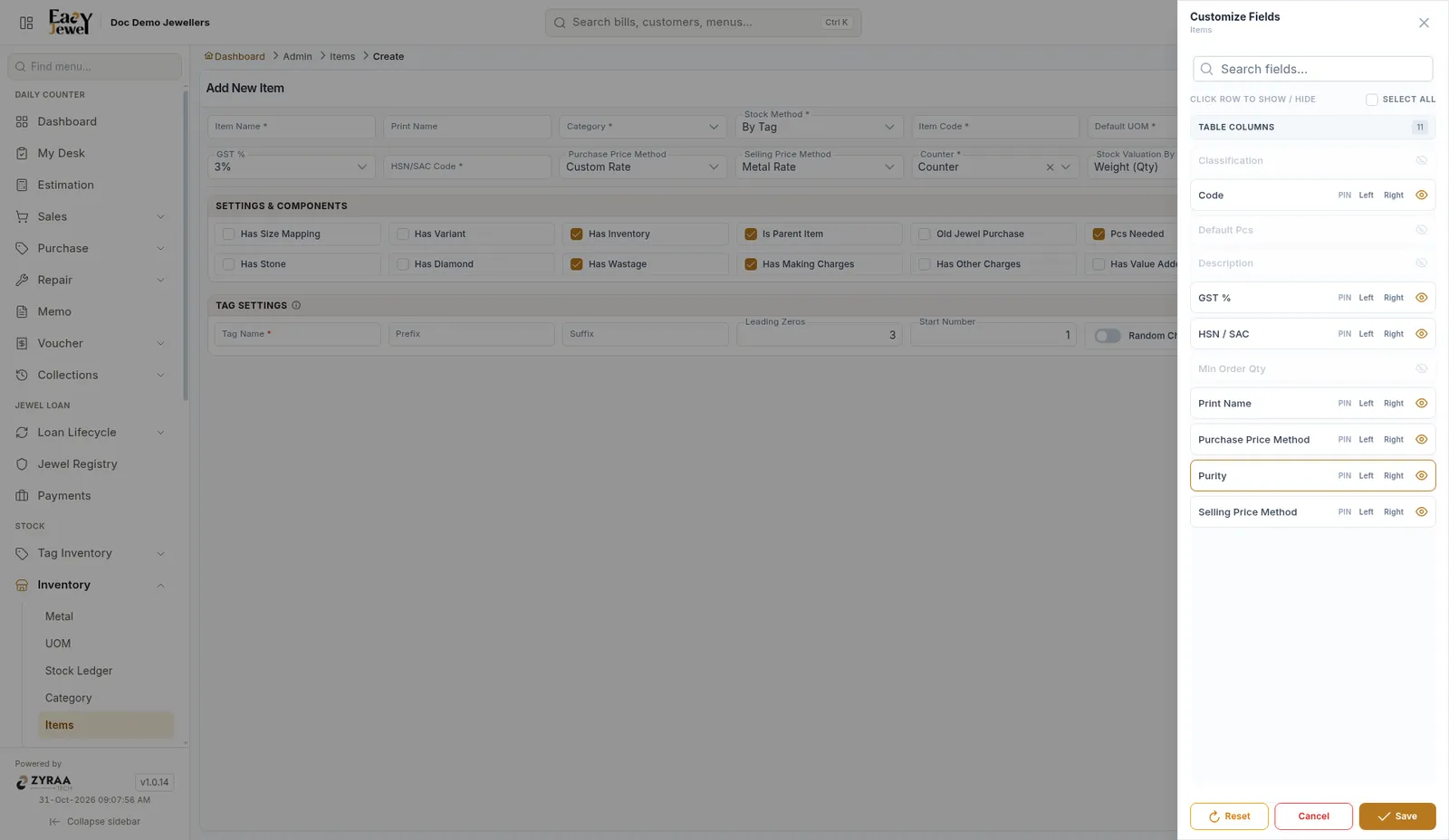
A hidden field can still be needed. Purity is hidden by default on the item form, but gold items need it. If saving says Purity is required for metal items in this category, switch Purity on here and pick the purity (for example 22K).
Field reference
FAQs
If I hide a field, is its data deleted?
No. Hiding only changes what is shown on the screen.
Why can't I see Purity on the item form?
It is hidden by default. Switch it on in Customize Fields.
How do I undo my changes?
Click Reset in the panel.
Do other staff see my layout?
The saved layout is the company default. Each user can override it for their own login.