
Payment and receipt
Payment
Menu: Accounts → Finance → Payment
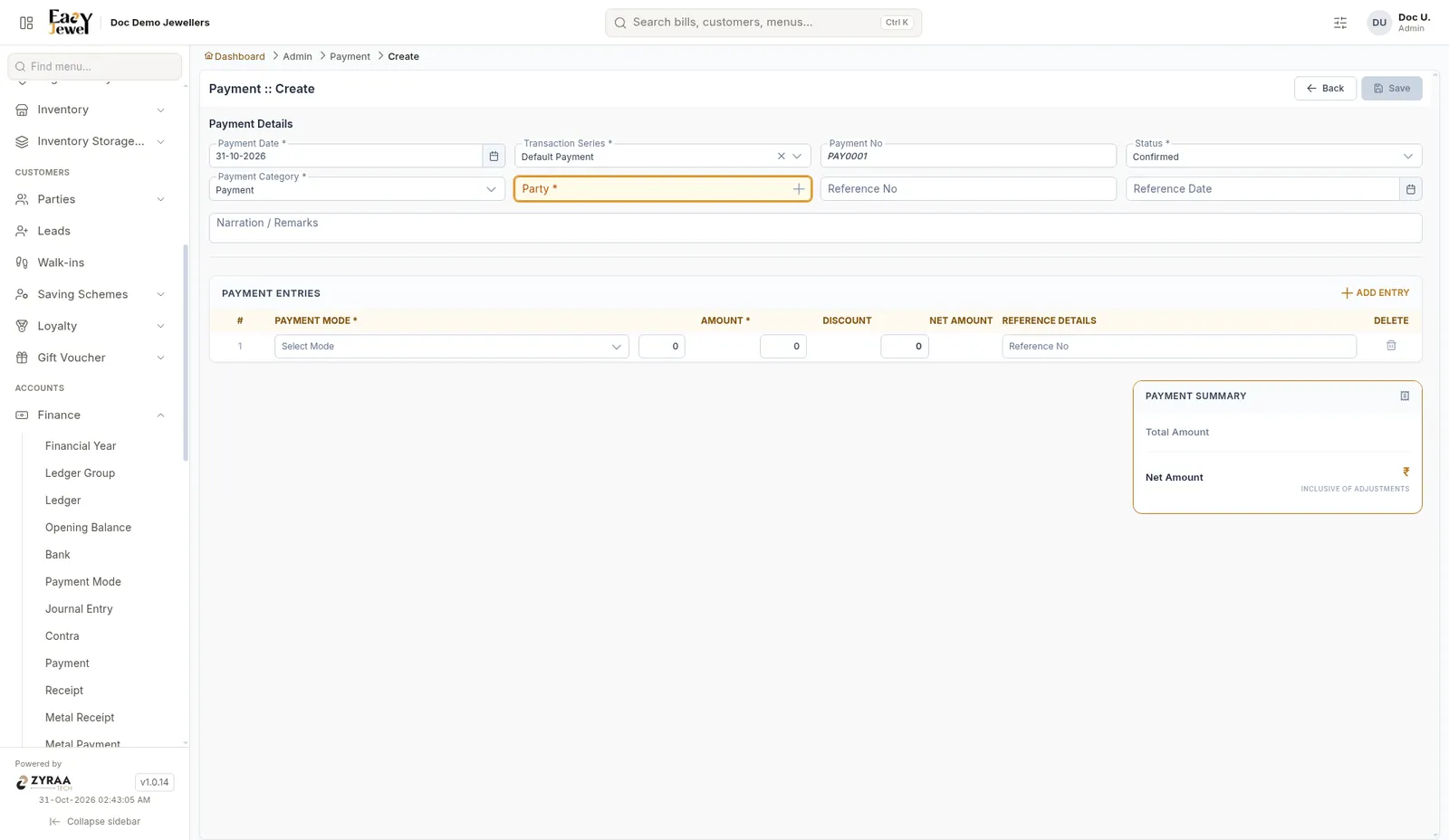
Fill Payment Date *, Transaction Series * (Default Payment), Status * (Confirmed), Payment Category * (Payment), Party *, Reference No, Reference Date and Narration. The Payment No is filled in, for example PAY0001.
Under Payment Entries, choose the Payment Mode and enter Amount and Discount. Net Amount is worked out. Click Add Entry for more modes. Click Save.
Receipt
Menu: Accounts → Finance → Receipt
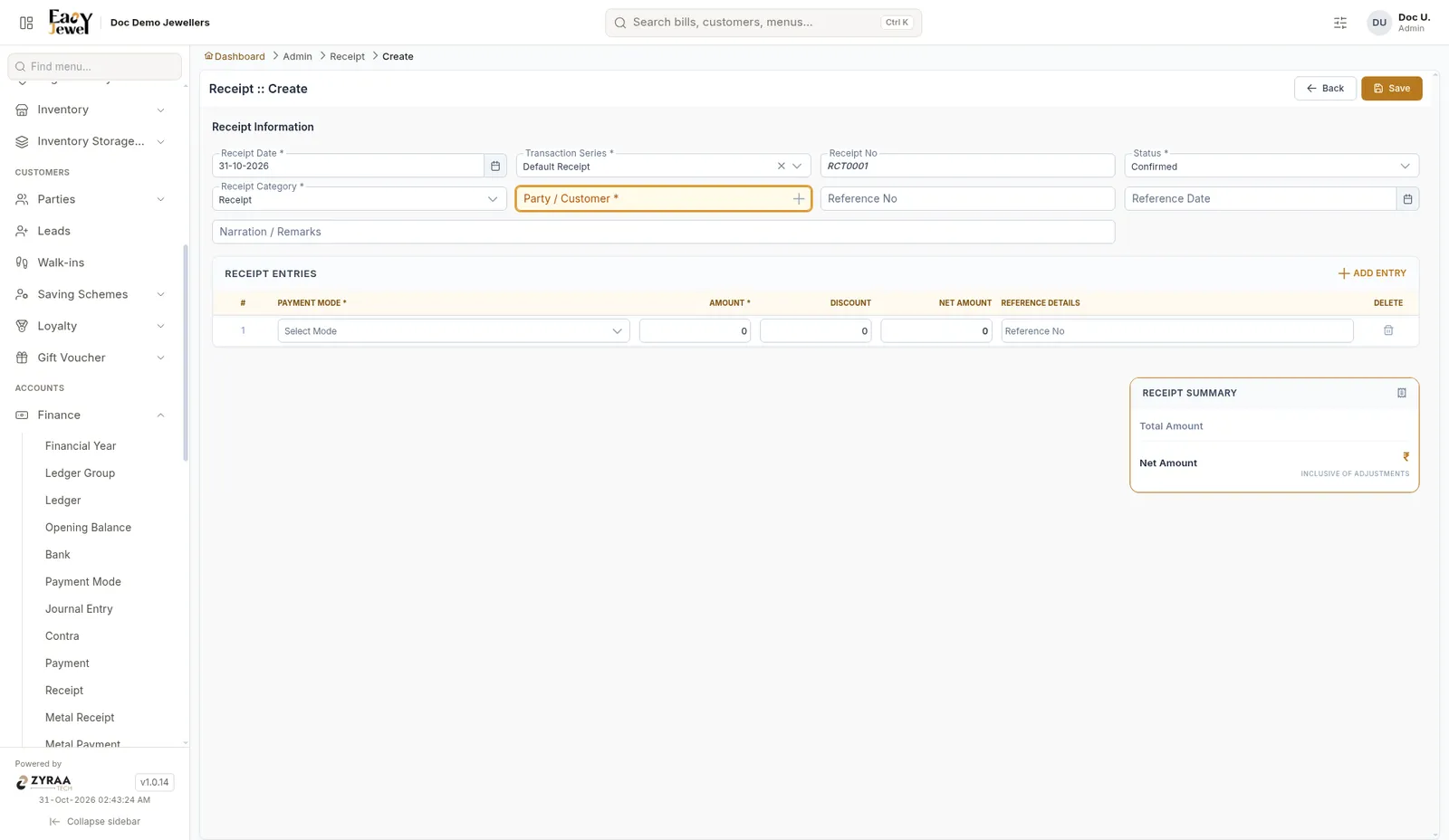
The receipt works the same way: Receipt Date *, Transaction Series * (Default Receipt), Status * (Confirmed), Receipt Category * (Receipt), Party / Customer *, and receipt entries with Payment Mode, Amount and Discount. The Receipt No is filled in, for example RCT0001.
Example: Murugan pays ₹30,000 balance on his bill - ₹10,000 cash and ₹20,000 UPI, as two receipt entries.