
New loan
Menu: Jewel Loan → Loan Lifecycle → Loan Create
Example: Kumar from Coimbatore pledges a 22K gold chain of 10 g.
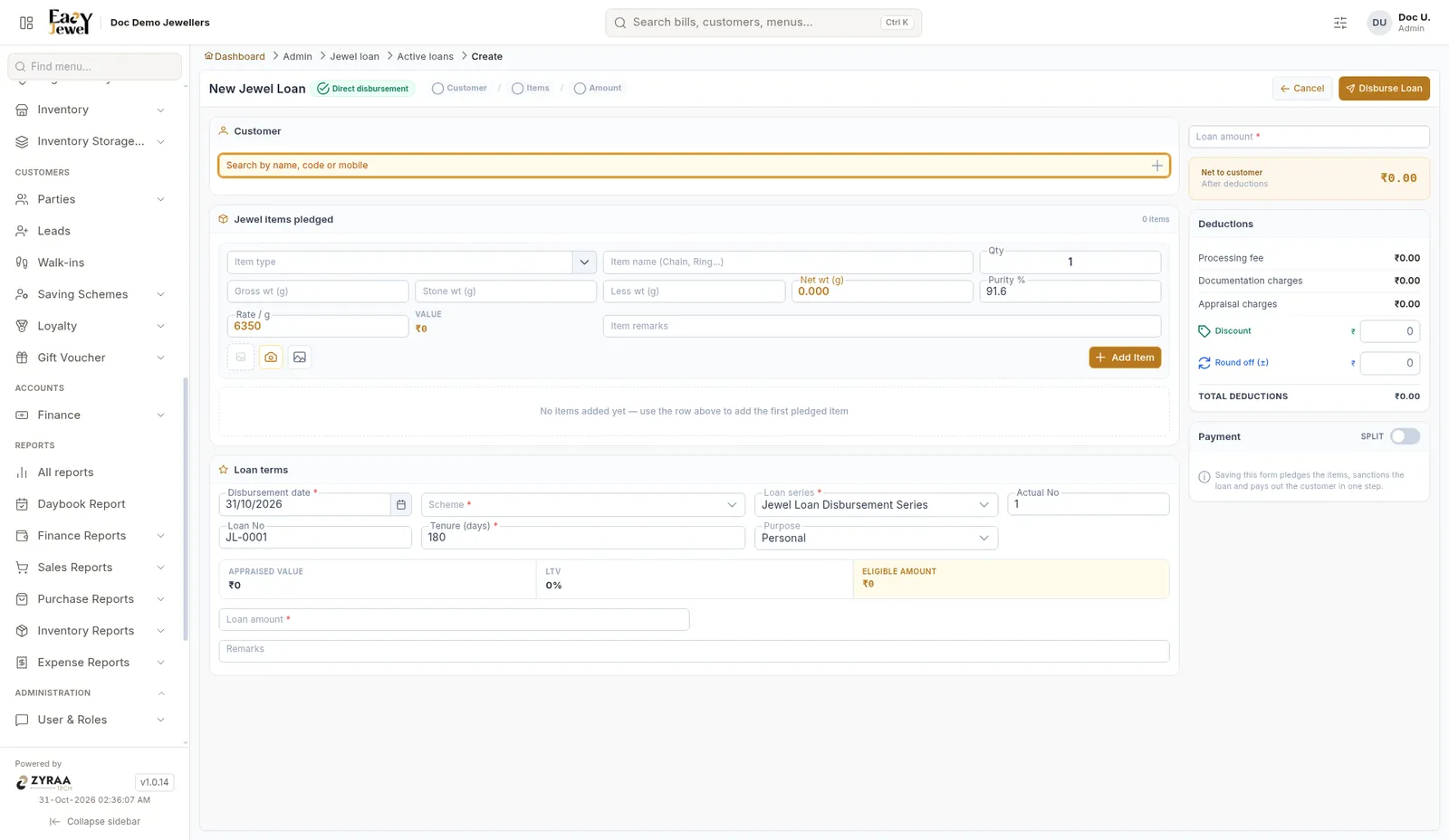
Enter the pledged jewels
Under Jewel items pledged, choose the Item type and Item name (Chain, Ring…), Qty, Gross wt, Stone wt and Less wt. Net wt is worked out. Purity % starts at 91.6. Rate / g is filled in, and the Value is shown. Take a photo with the camera button if you like, add remarks, then click Add Item.
Fill the loan terms
Disbursement date * (today), Scheme *, Loan series *, Actual No, Tenure (days) * (180 shown) and Purpose (Personal). The Loan No is filled in, for example JL-0001.
Check the amount
The screen shows Appraised Value, LTV and Eligible Amount. Enter the Loan amount * within the eligible amount.
Saving this form pledges the items, sanctions the loan and pays out the customer in one step.