
Staff and login
Menu: Administration → User & Roles → Staff
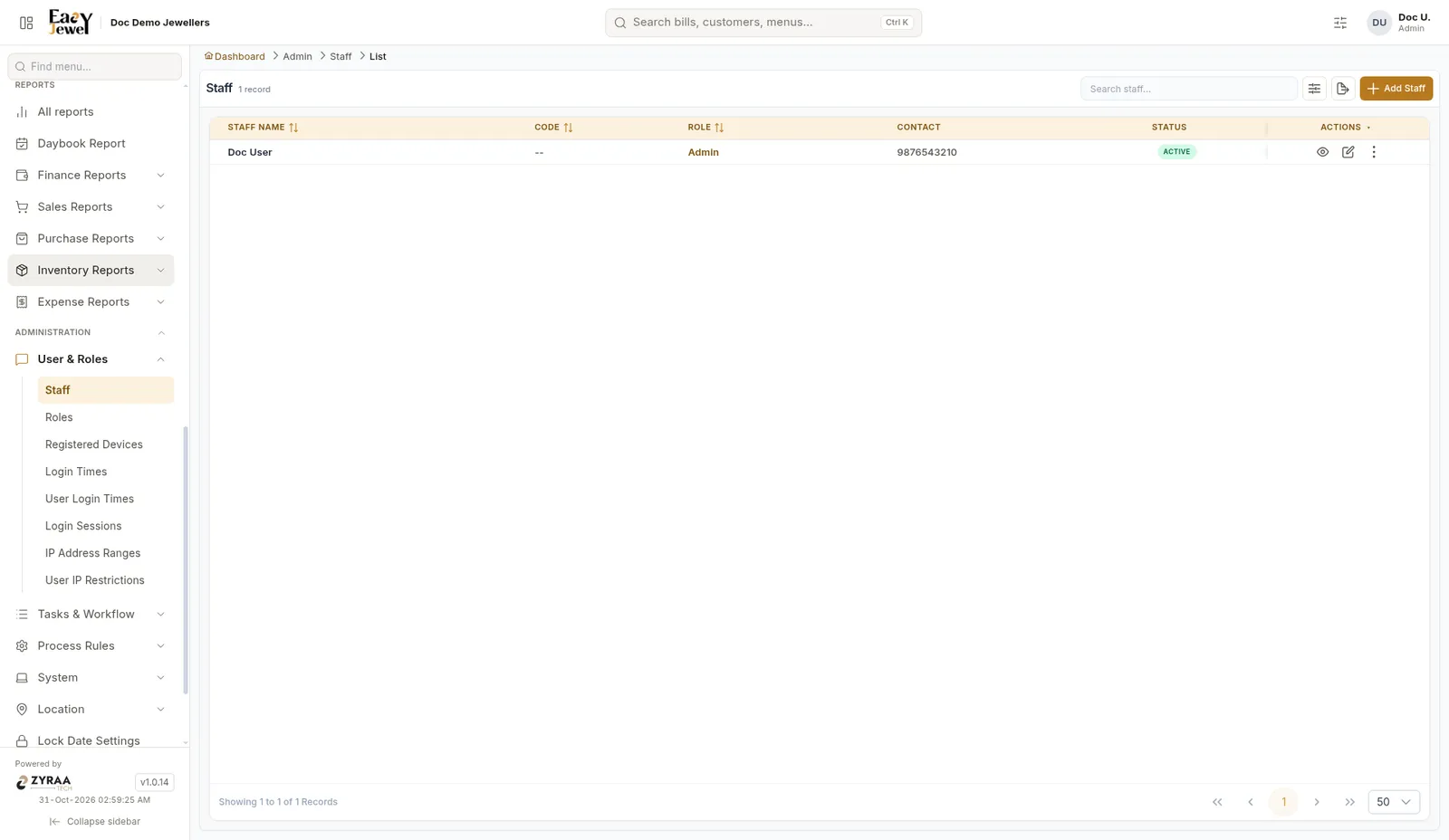
The list shows Staff Name, Code, Role, Contact and Status. Click Add Staff.
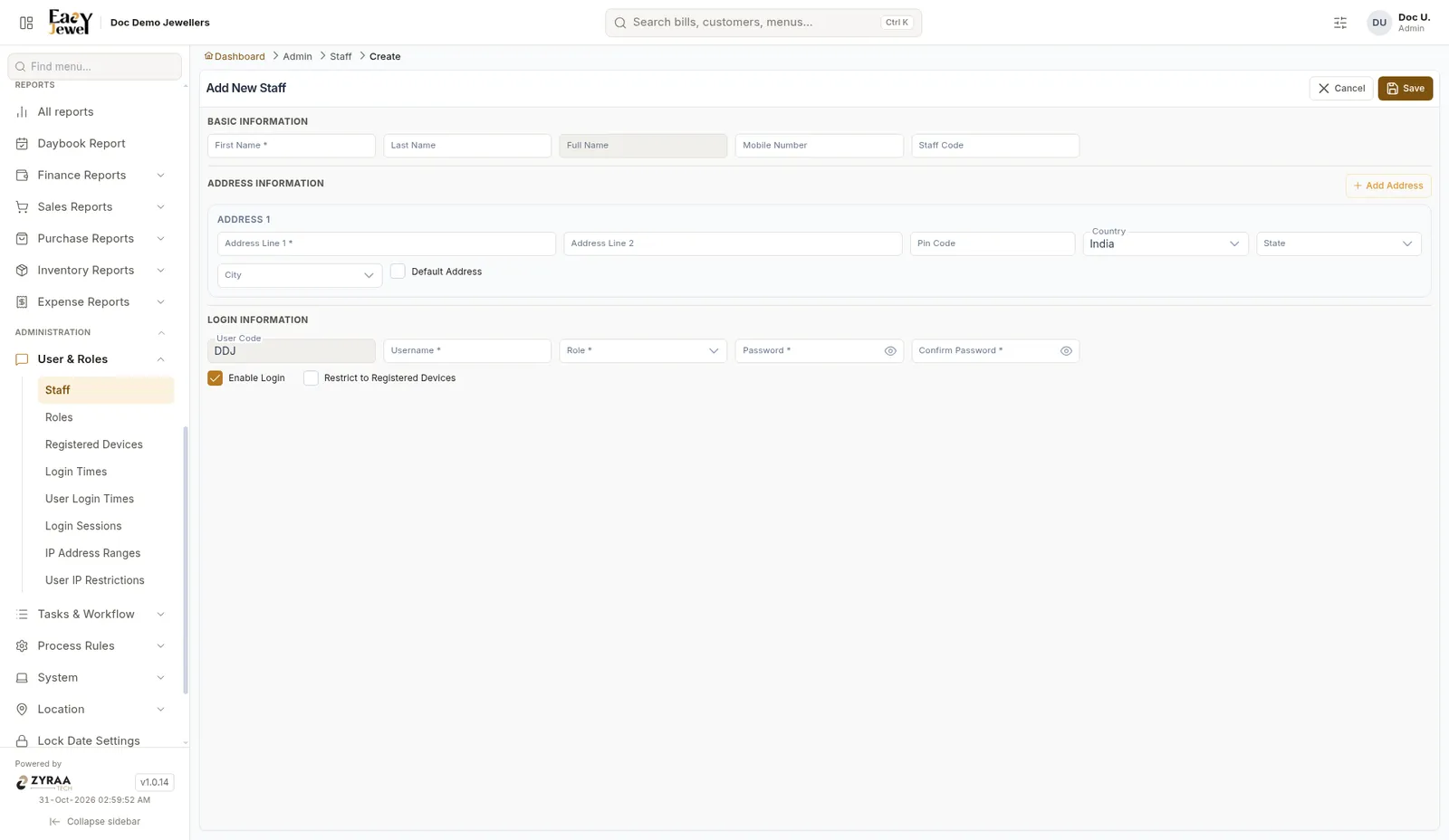
Basic information
First Name *, Last Name, Mobile Number and Staff Code. Full Name fills in by itself.
Address
Address Line 1 *, Address Line 2, Pin Code, Country (India), State and City. Click Add Address for more.
Login information
User Code is filled in. Enter Username *, Role *, Password * and Confirm Password *.
Login options
Enable Login is ticked, so the staff member can log in. Tick Restrict to Registered Devices to allow login only from shop devices. See Login security.
Example: Add Selvi, your counter staff in Tirunelveli, with the role “Counter Sales”.
Create the role first in Roles and permissions.