
Items
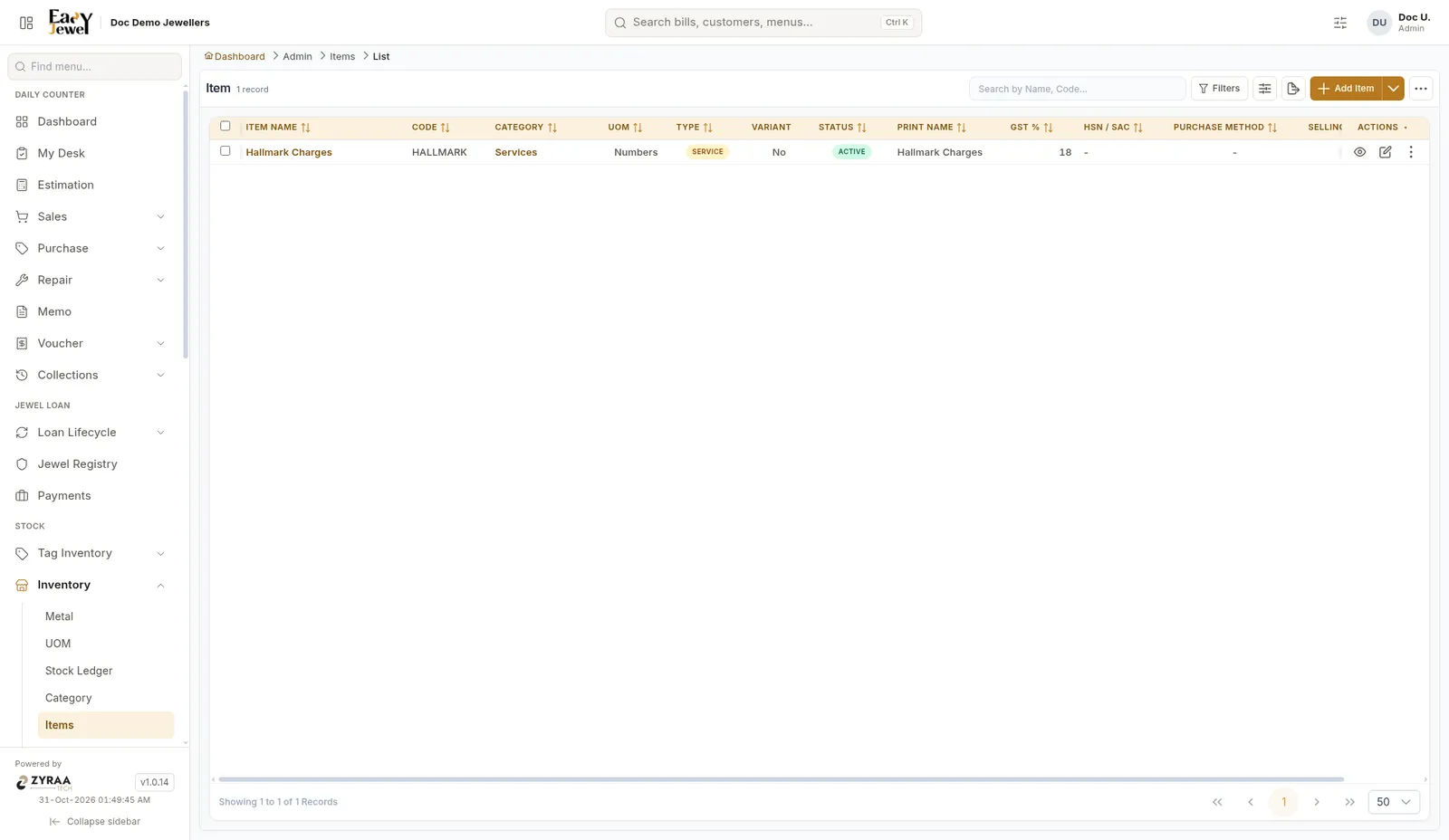
An item is a type of product you sell, such as 22K Chain, Bangle or Hallmark Charges. Each piece of stock you tag later belongs to an item.
Menu: Stock → Inventory → Items
Set up Metal, Category and UOM first. An item needs all three.
Add an item
Click Add Item to open the form.
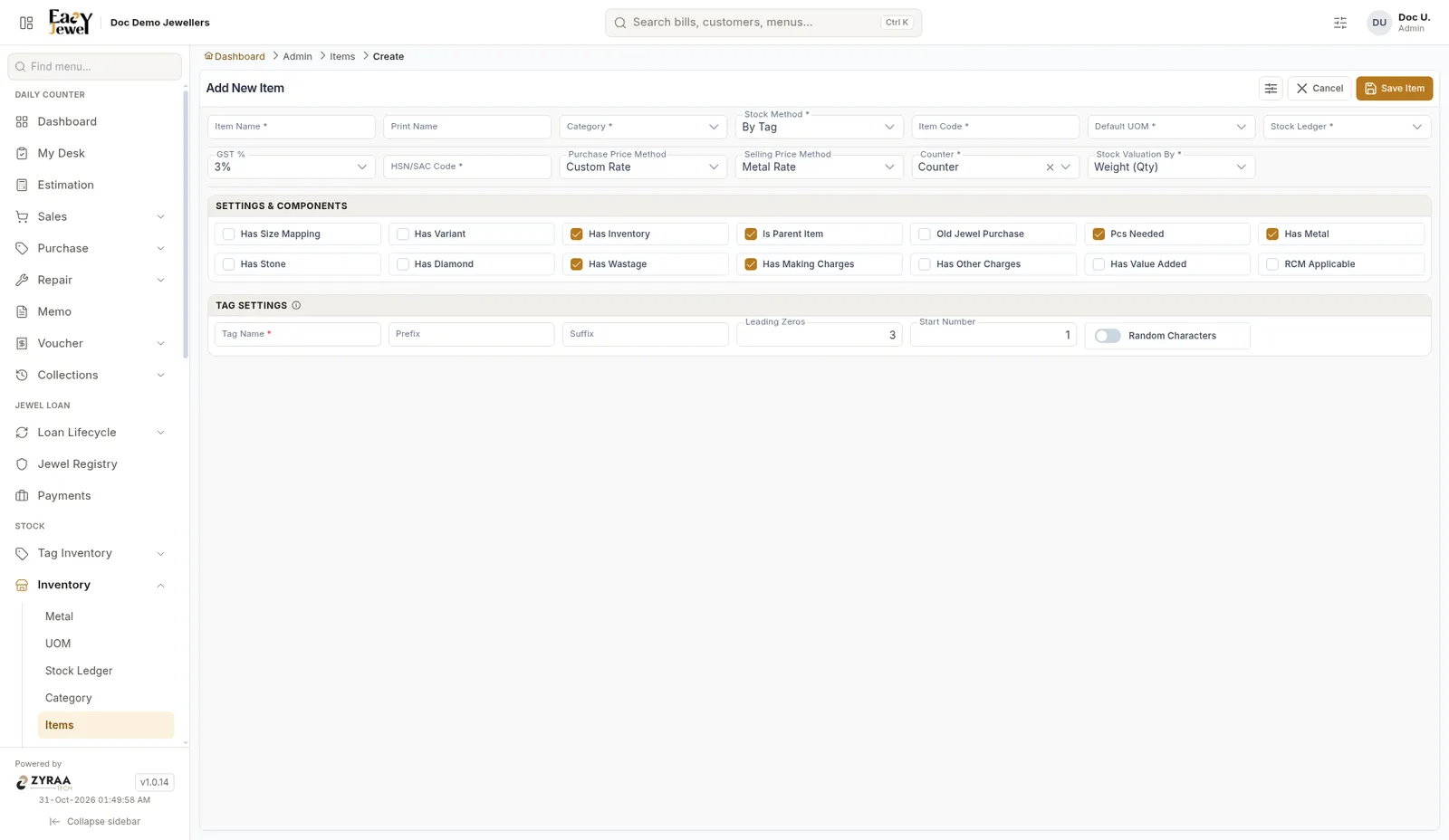
Basic details
Settings and components
Tick only what applies to this item:
- Has Metal, Has Wastage and Has Making Charges are ticked by default for gold jewellery.
- Tick Has Stone or Has Diamond for stone-set items.
- Tick Has Size Mapping for rings and bangles. See Size.
- Tick Old Jewel Purchase for items you buy back as old gold.
Tag settings
This decides how tag numbers are printed:
- Tag Name (required)
- Prefix, for example GCH, so tags read GCH001, GCH002…
- Leading Zeros and Start Number
Click Save Item when you’re done.
GST is set to 3% by default, the usual rate for gold jewellery. You can change it to any rate your item needs, including 0%.
Stock Method By Tag means every piece gets its own tag and weight, which suits most gold jewellery. Loose suits items sold by weight from a lot, like silver articles.