
All reports
Menu: Reports → All reports
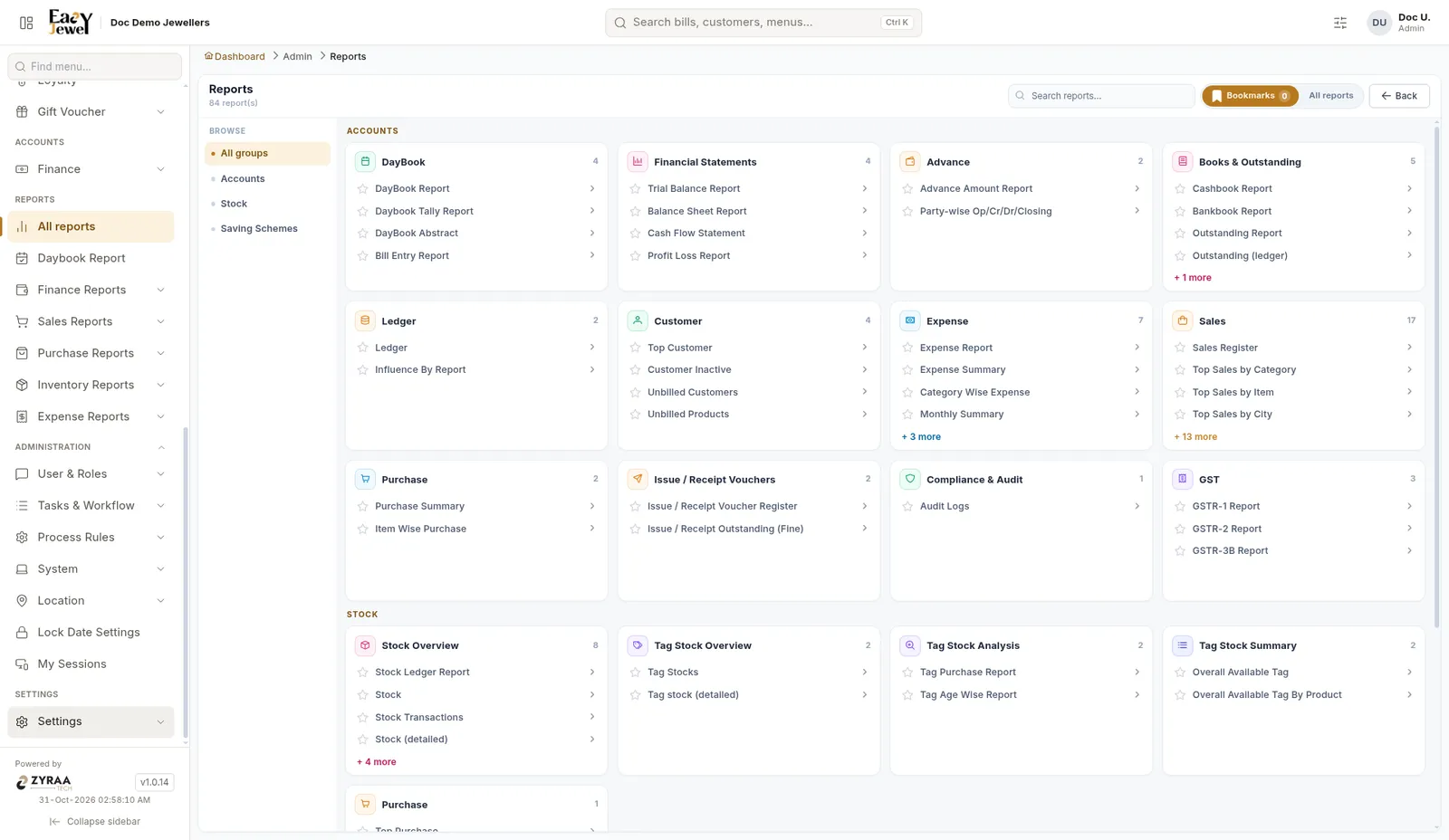
The Reports page lists all 84 reports in groups such as DayBook, Financial Statements, Ledger, Customer, Expense, Sales, Purchase, GST, Stock Overview and Tag Stock.
- Browse on the left lets you show All groups, Accounts, Stock or Saving Schemes.
- Search reports… at the top finds a report by name. Type “stock” to see all stock reports.
- Click the star next to a report to bookmark it. Click Bookmarks to see only your bookmarked reports, and All reports to see everything again.
- Click + more under a group to see the rest of its reports.
Common controls in reports
Most reports share the same controls:
If a report shows “No data found”, pick a wider date range or clear the filters.