
Process rules
Menu: Administration → Process Rules
Process rules
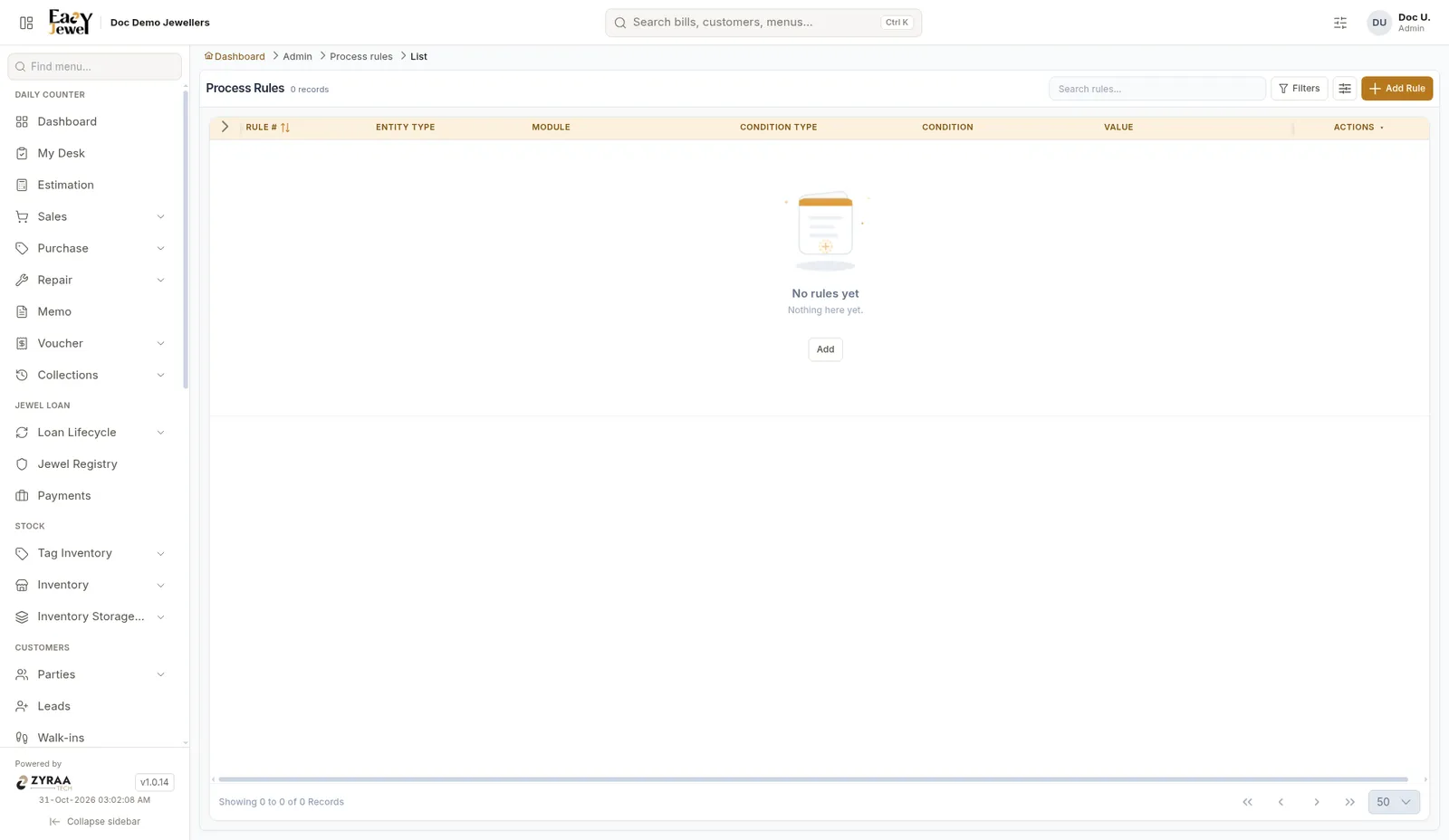
The list shows Rule #, Entity Type, Module, Condition Type, Condition and Value. Click Add Rule.
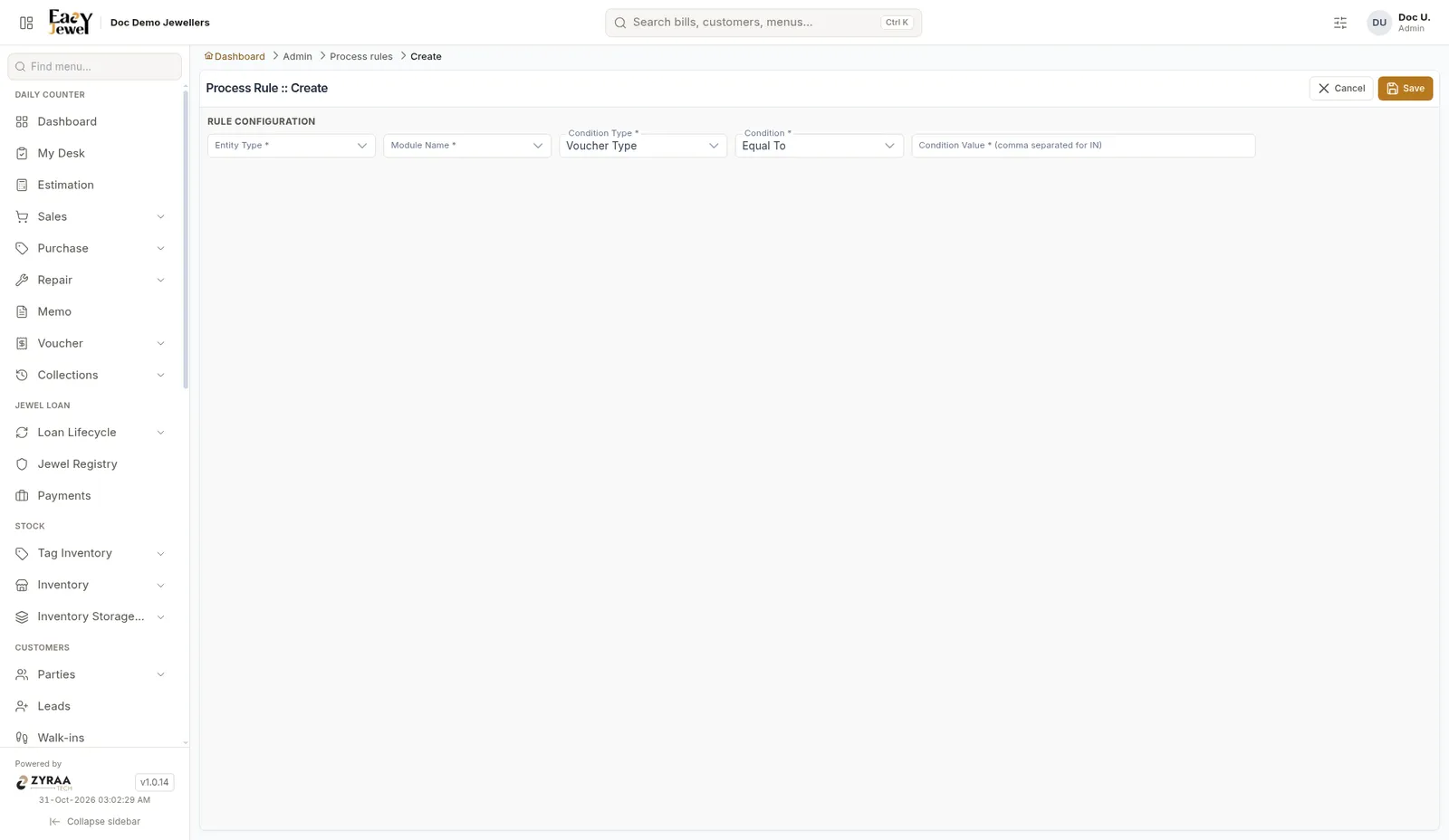
Choose Entity Type *, Module Name *, Condition Type * (Voucher Type shown) and Condition * (Equal To shown). Enter the Condition Value *. Separate more than one value with commas. Click Save.
Process rule actions
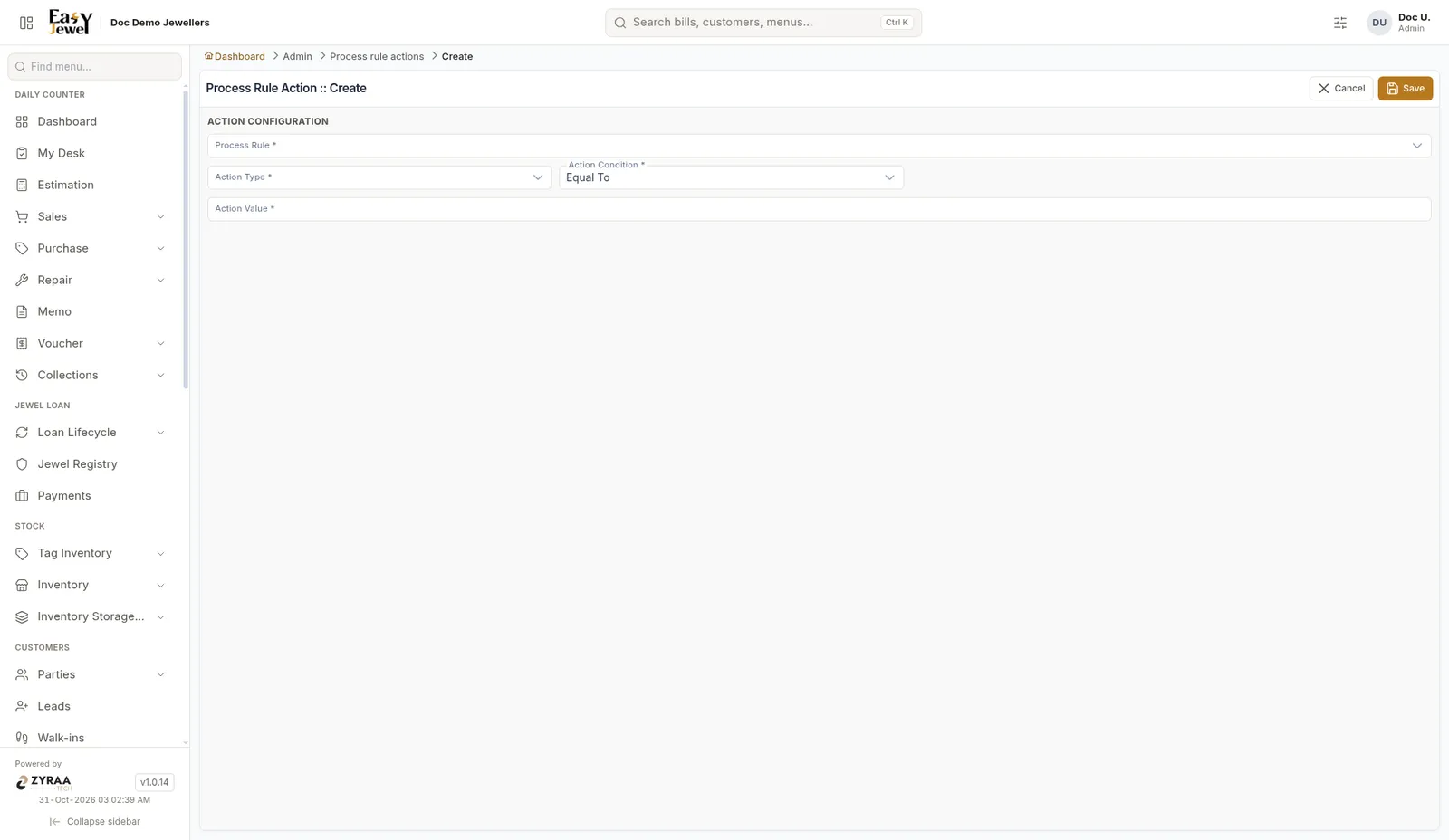
Choose the Process Rule *, Action Type * and Action Condition * (Equal To shown), and enter the Action Value *. Click Save.