
Sales bill
The sales bill is the main counter screen. Here you bill the jewellery, take the customer’s old gold in exchange, and record how they paid.
Menu: Daily Counter → Sales → Sales bills
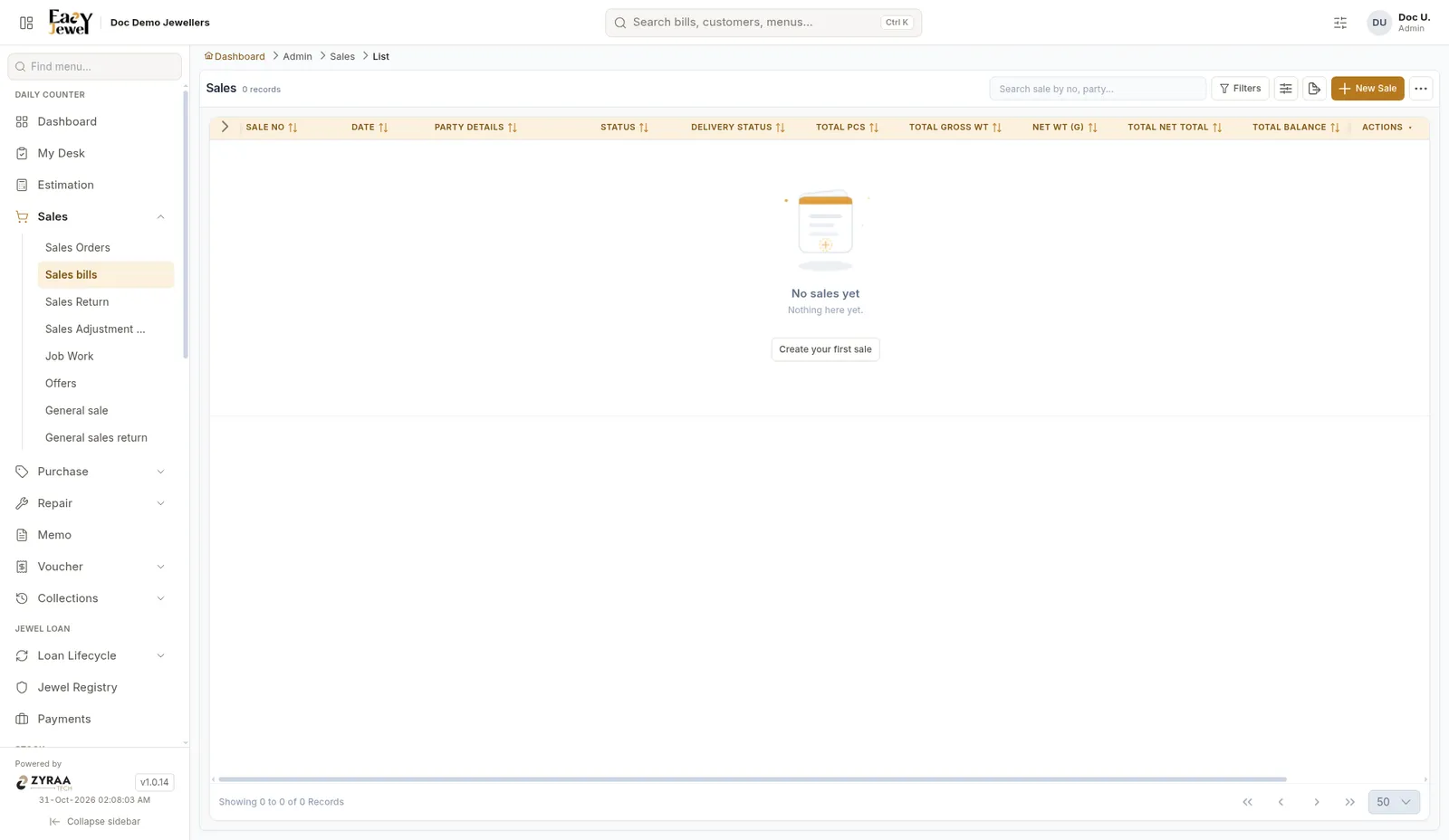
New sale
Click Add to open New Sale.
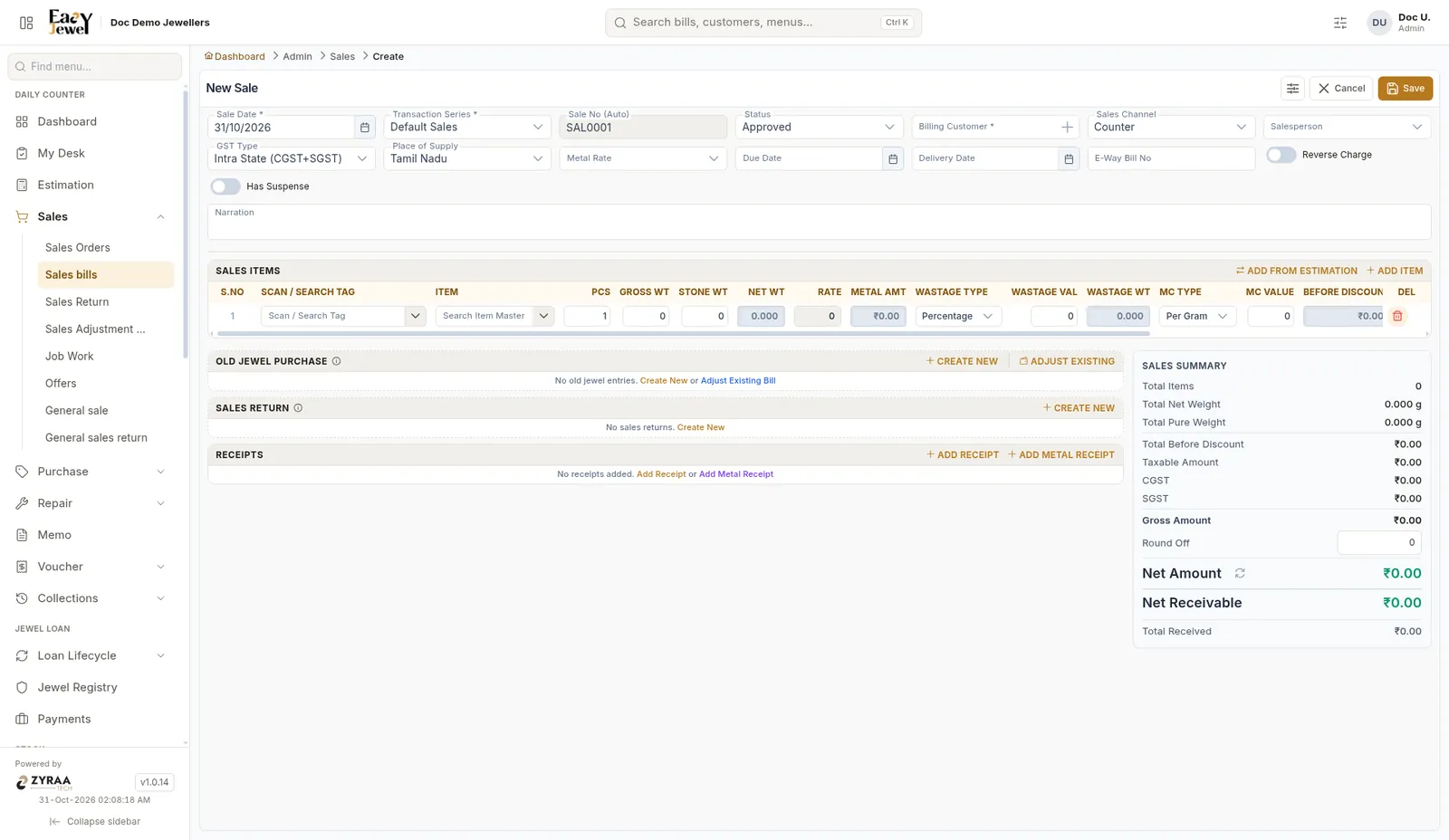
Header
Sales items
Scan the tag in Scan / Search Tag, or pick from Item. Click Add Item for more rows.
Example: Murugan buys a 22K chain, net weight 8.250 g. Scan its tag and the weights, wastage and MC fill in from the tag.
Add from Estimation
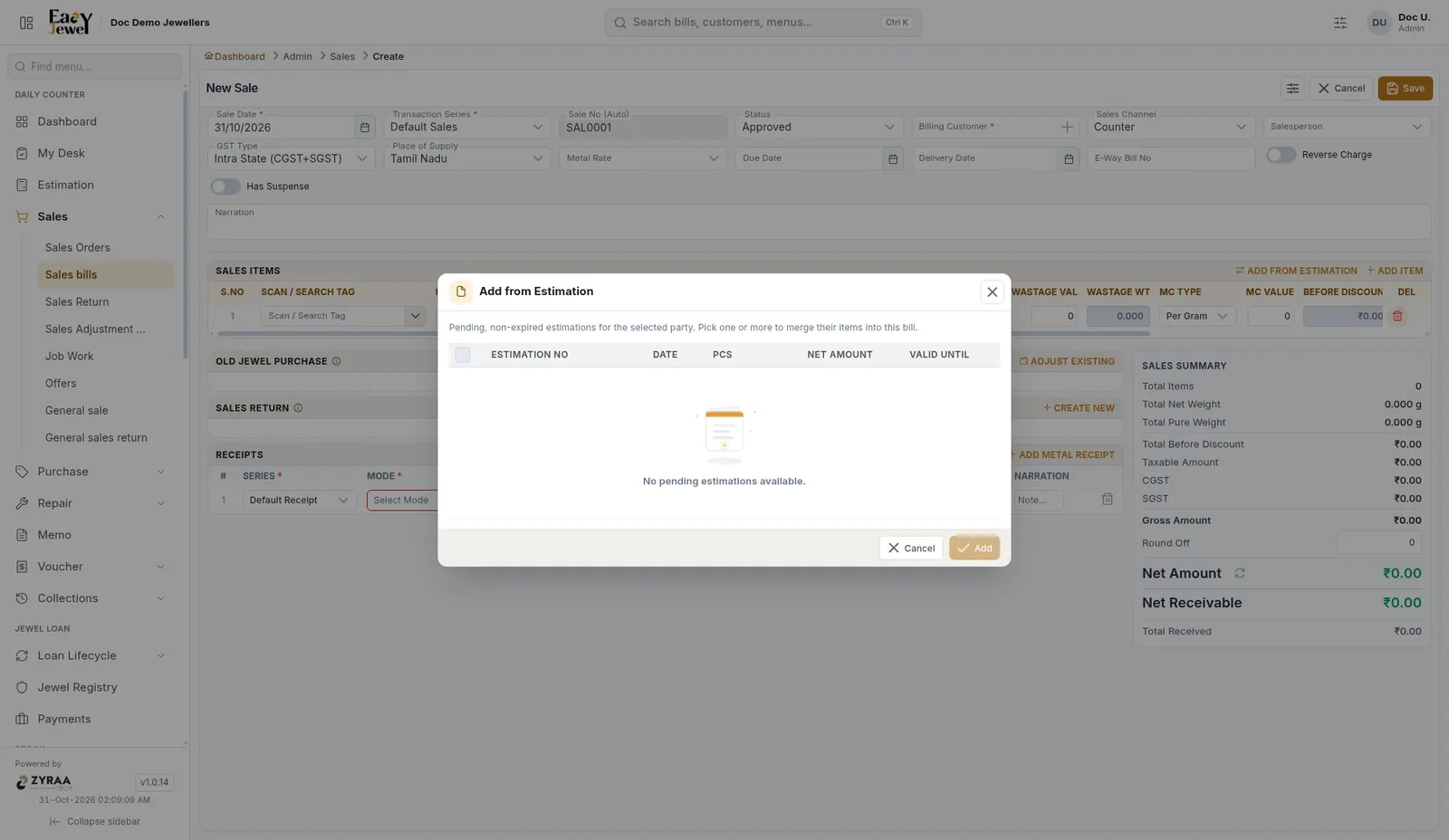
Click Add from Estimation and choose the customer’s estimation. Its items are added to the bill. See Estimation.
Old jewel exchange
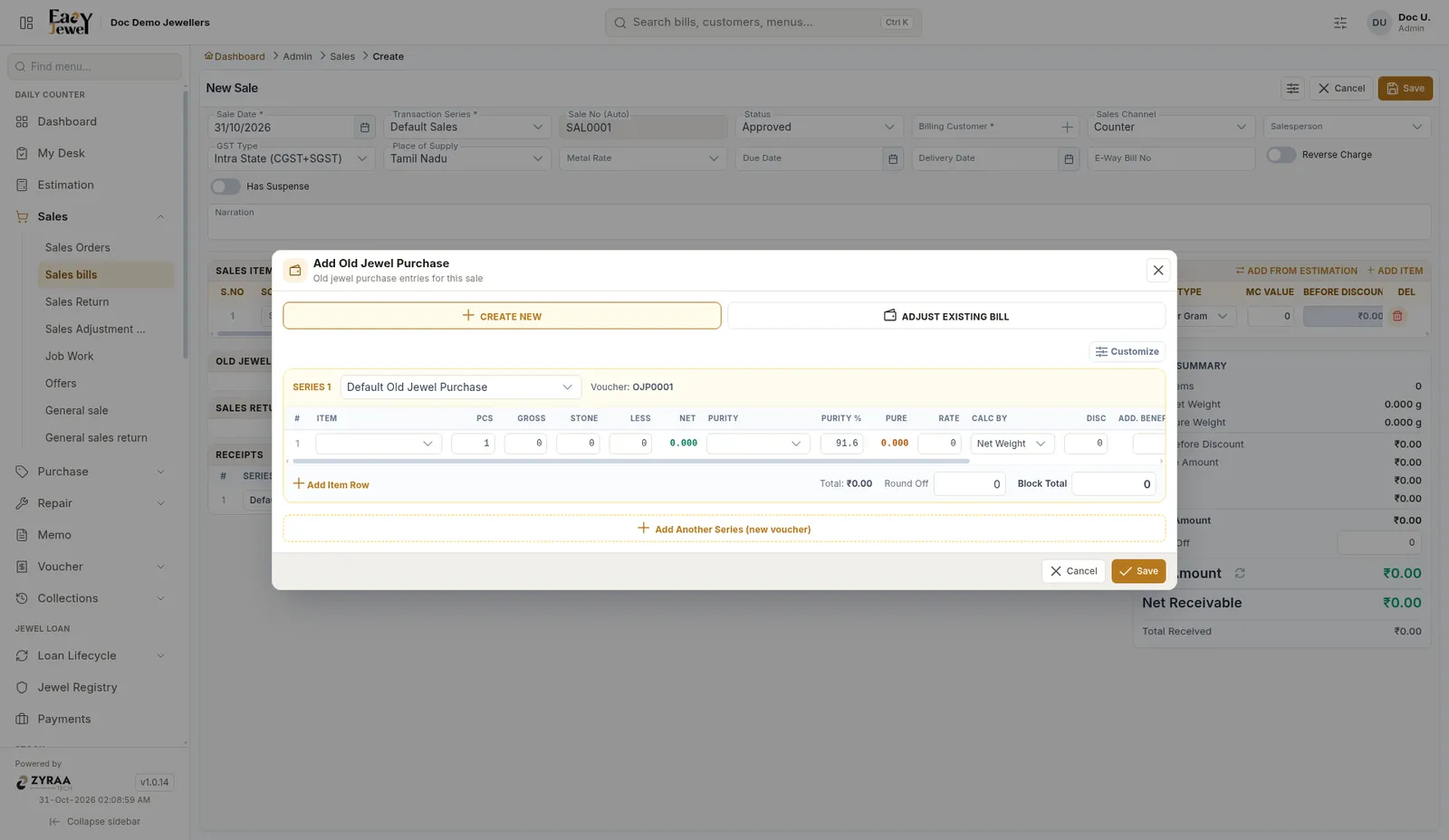
In the Old Jewel Purchase block, click Create New to enter the customer’s old gold, or Adjust Existing to use an old jewel bill already made.
The old gold value is taken off the bill.
Sales return
In the Sales Return block, click Create New if the customer is returning a piece in the same visit. See Sales return and adjustment notes.
Receipts
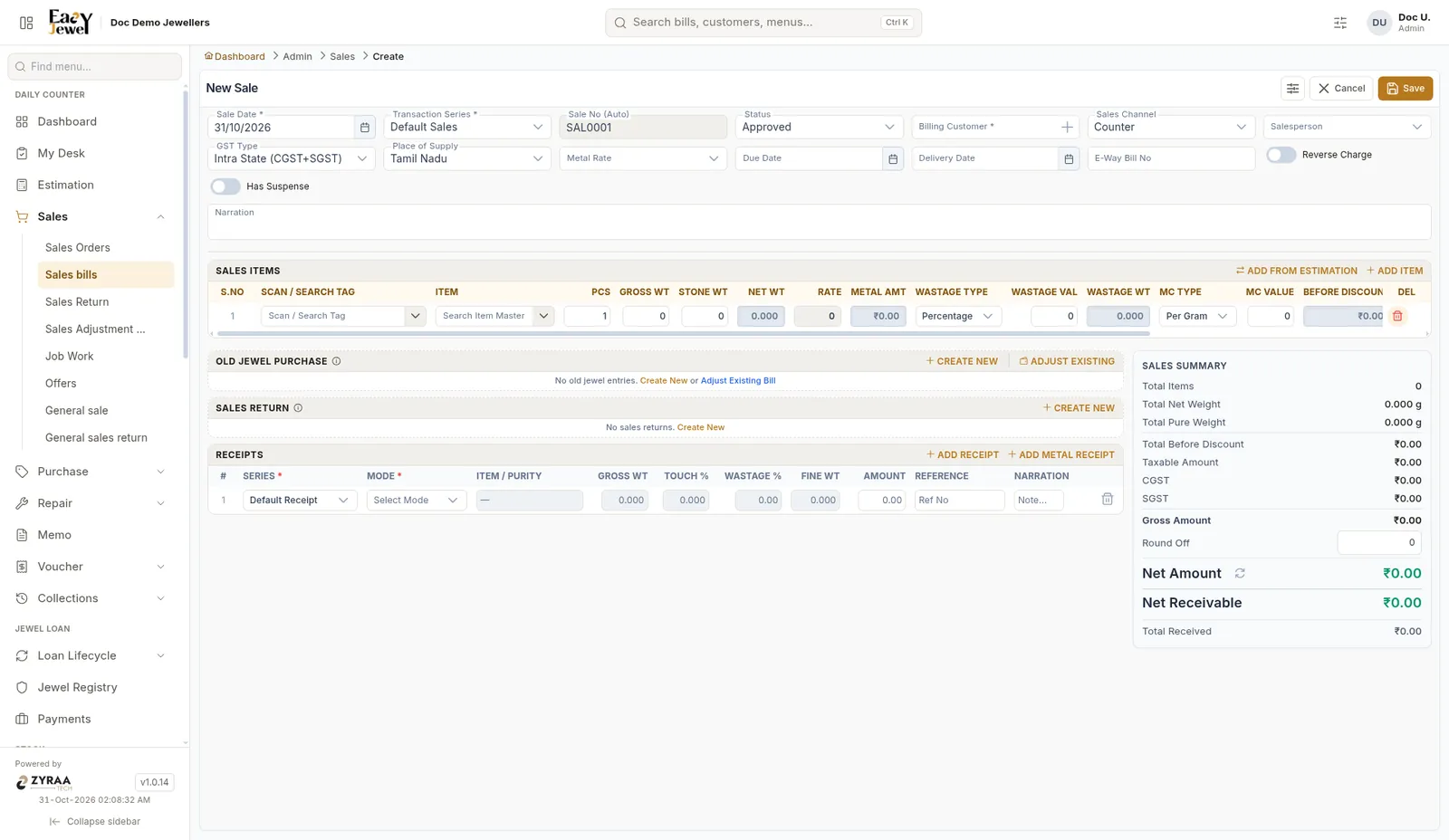
Click Add Receipt to record money received, or Add Metal Receipt when the customer pays in gold.
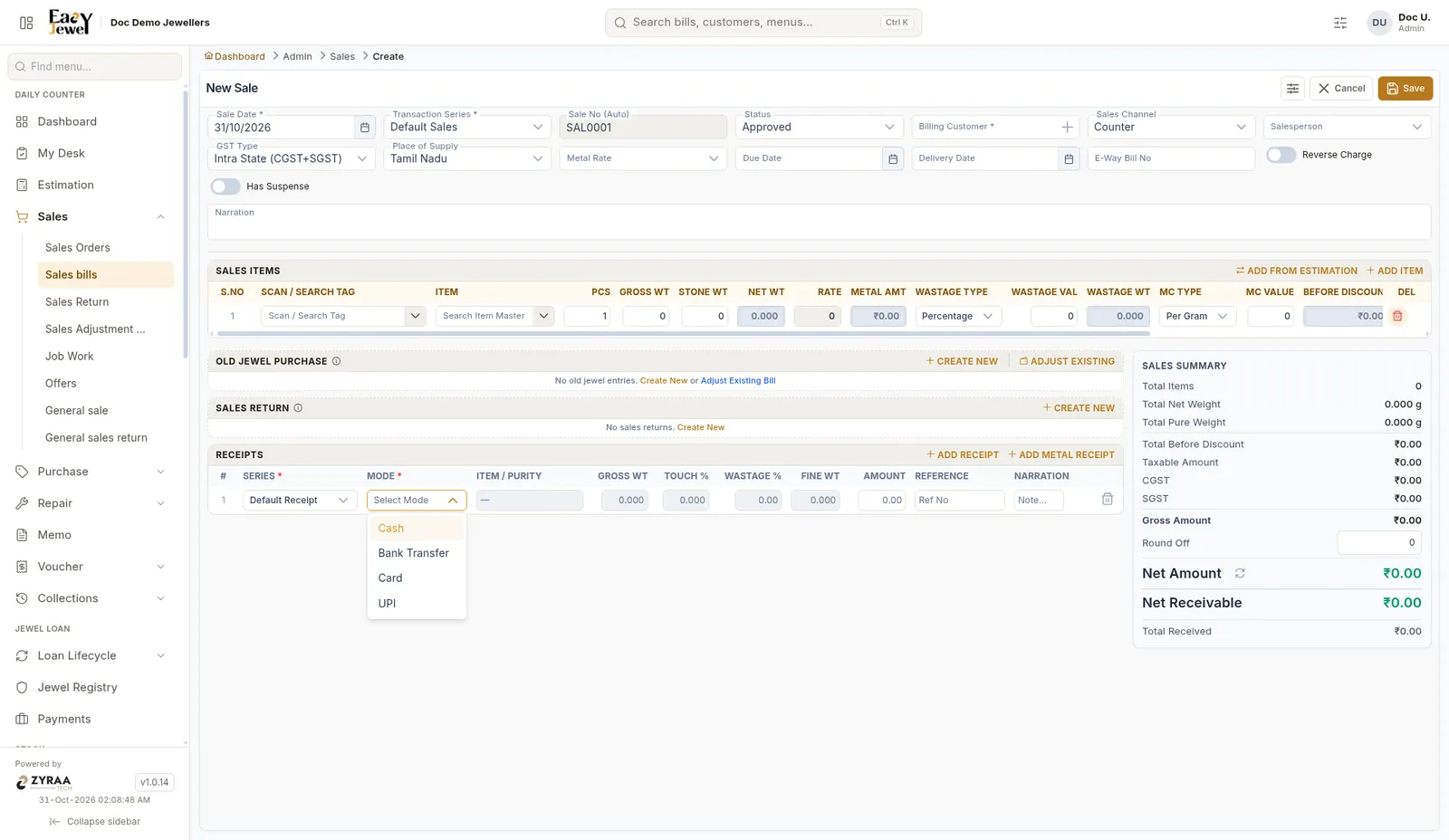
Payment modes: Cash, Bank Transfer, Card and UPI. You can add more than one row, for example ₹20,000 cash and the rest by UPI.
Sales summary
The summary on the right shows Total Items, Total Net Weight, Total Pure Weight, Total Before Discount, Taxable Amount, CGST, SGST, Gross Amount, Round Off, Net Amount, Net Receivable and Total Received.
Click Save when the bill is done.
Before saving, check that Total Received matches Net Receivable.