
Skip to navigation

Repledge release

View as Markdown

Menu: Jewel Loan → Loan Lifecycle → Repledge Releases

When you pledge customers’ jewels with a bank (for example Indian Bank or IOB), you record that as a repledge. When you pay the bank and take the jewels back, record a repledge release.
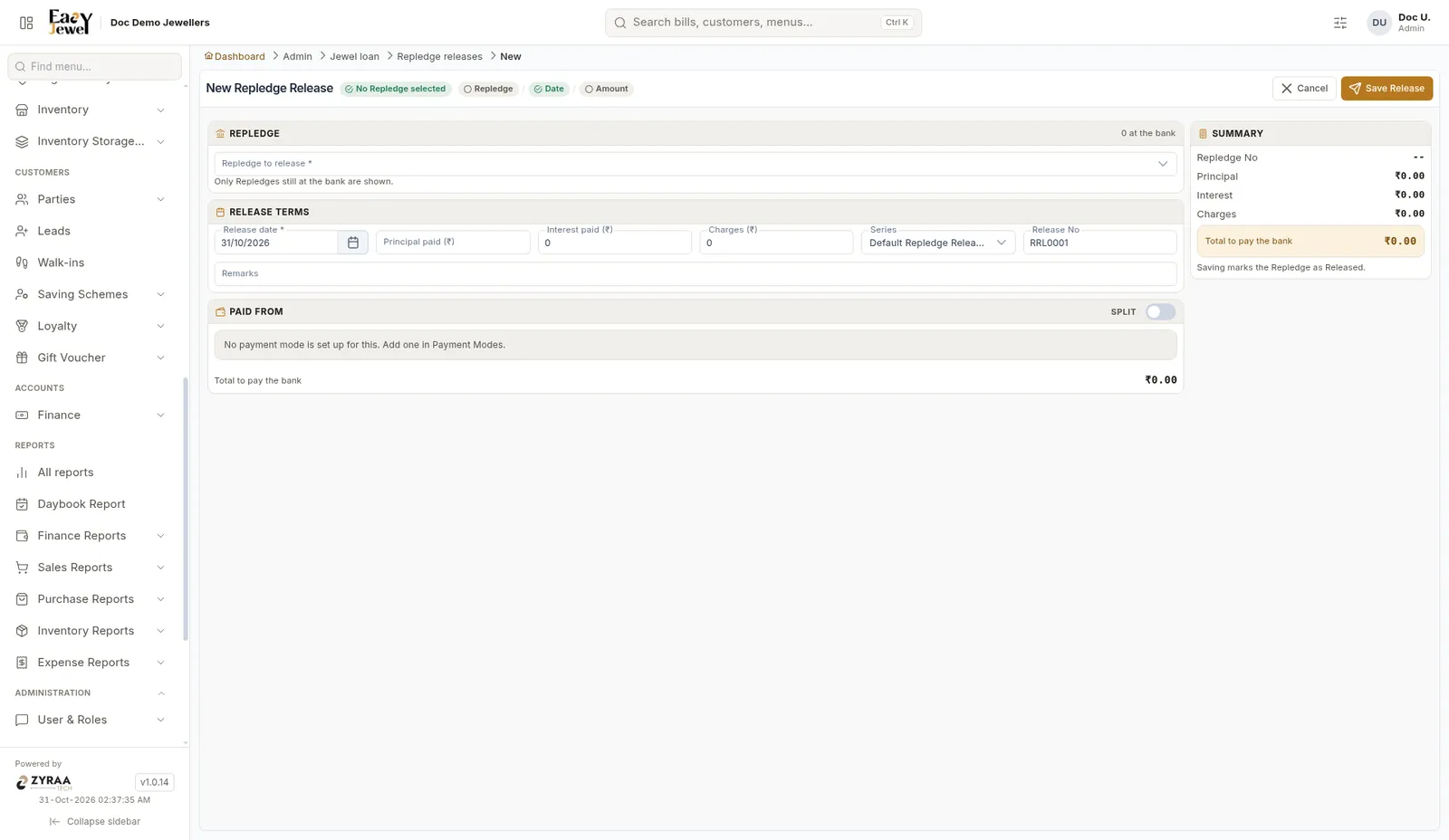
New Repledge Release

1

Pick the repledge

Choose it in Repledge to release. Only repledges still at the bank are shown.

2

Enter the release terms

Release date * (today), Principal paid, Interest paid, Charges, Series and Remarks. The Release No is filled in, for example RRL0001.

4

Save

Check Total to pay the bank in the summary, then click Save Release.

Saving marks the repledge as Released.

If the screen says no payment mode is set up, add one first in Payment modes.