
Metal receipt and payment
Use these when gold itself changes hands, for example when a supplier in Coimbatore is paid in fine gold.
Metal receipt
Menu: Accounts → Finance → Metal Receipt
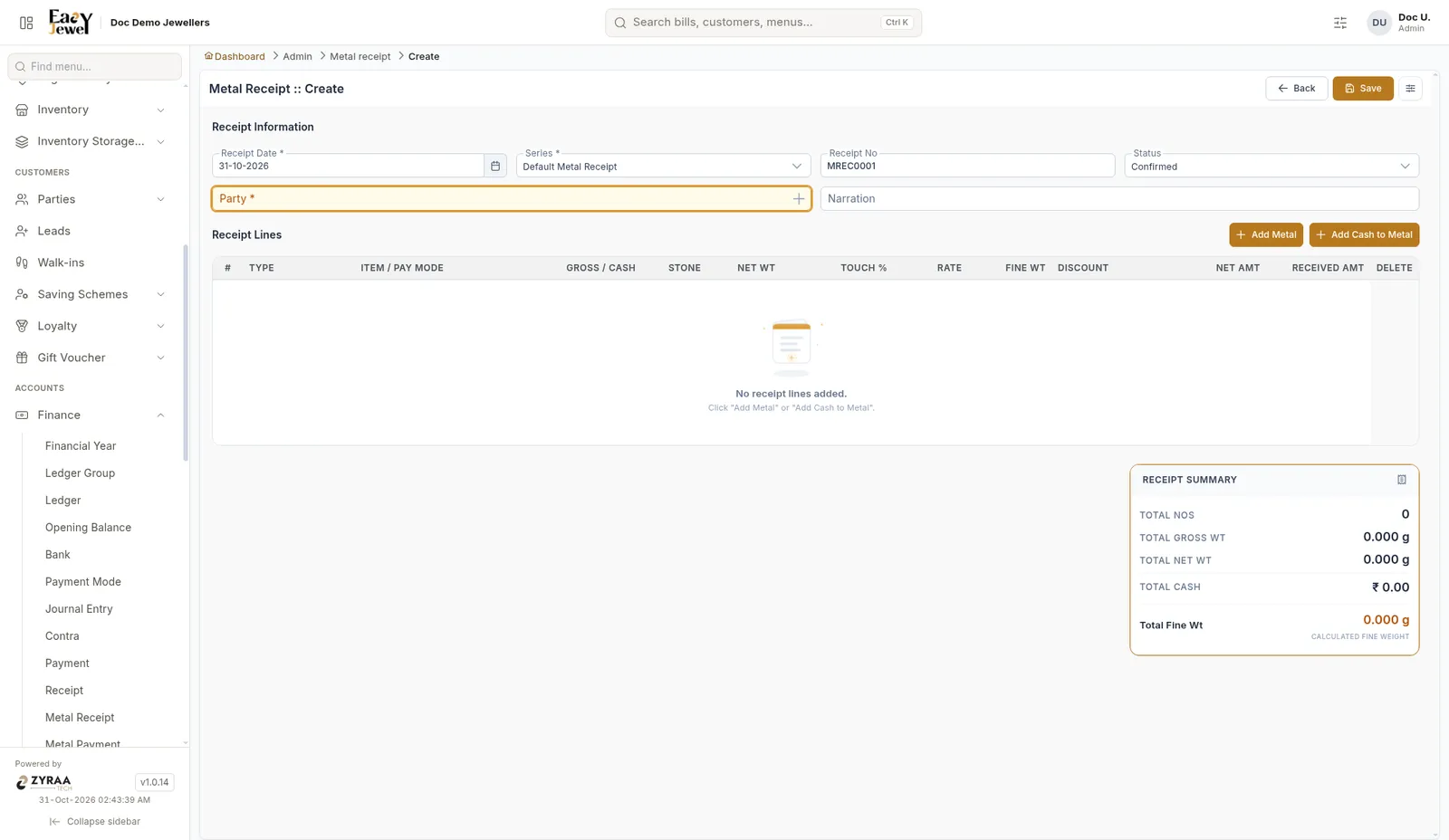
Fill Receipt Date *, Series * (Default Metal Receipt), Status (Confirmed), Party * and Narration. The Receipt No is filled in, for example MREC0001.
Click Add Metal to add gold, or Add Cash to Metal to turn a cash amount into metal. Each line has Type, Item / Pay Mode, Gross / Cash, Stone, Net Wt, Touch %, Rate, Fine Wt, Discount, Net Amt and Received Amt.
The Receipt Summary shows Total Nos, Total Gross Wt, Total Net Wt, Total Cash and Total Fine Wt.
Metal payment
Menu: Accounts → Finance → Metal Payment
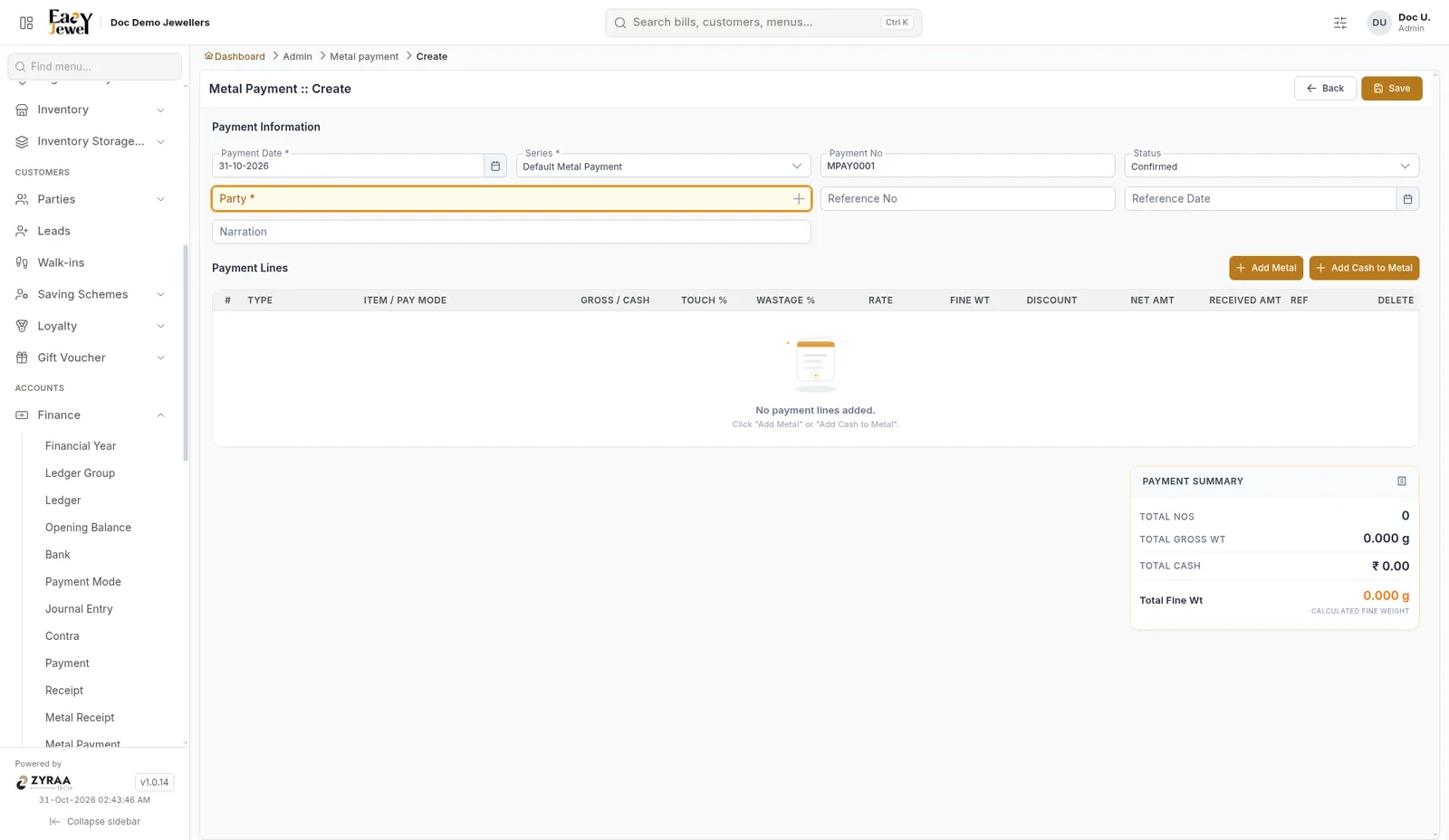
The same as a metal receipt, with Reference No and Reference Date. Payment No is filled in, for example MPAY0001. Lines have Gross / Cash, Touch %, Wastage %, Rate, Fine Wt, Discount, Net Amt and Received Amt.
Example: 50.000 g at 91.6% touch gives 45.800 g fine weight.